Smart Surge Protection Tips Every Nigerian Family Should Know
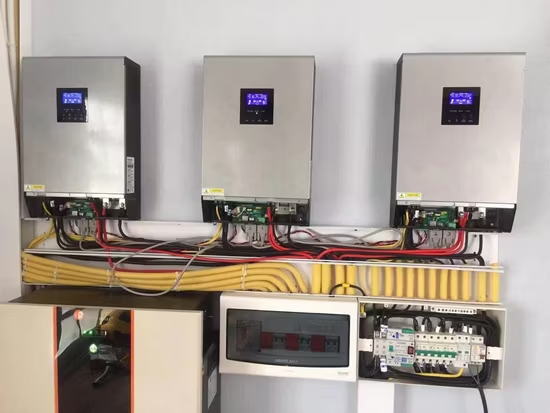
The moment thunder starts in many Nigerian homes, everybody suddenly becomes an electrical engineer. ”Unplug the TV!” ”Remove the decoder!” ”Off the extension box!” ”Disconnect the router!” Honestly, most Nigerians have learned these habits through experience. Many people have lost appliances after thunderstorms, power restoration, or sudden voltage fluctuations. That is why surge protection is one of the most important but overlooked parts of home electrical safety. What Is a Power Surge? A power surge is a sudden increase in electrical voltage. It may last only a fraction of a second, but that brief spike can damage sensitive electronics. Surges commonly occur during: -Thunderstorms -Power restoration -Transformer faults -Generator switching -Electrical grid instability The Appliances Most at Risk Some devices are particularly vulnerable. These include: Smart TVs Refrigerators Routers Laptops CCTV systems Gaming consoles Smart home devices Repeated exposure to surges can shorten equipment lifespan even when damage isn’t immediately visible. Warning Signs Many People Ignore Watch out for: -Flickering lights -Bulbs burning frequently -Hot sockets -Electronics restarting unexpectedly -Burning smells -Unusual buzzing sounds A good protection strategy includes: -Surge protectors -Proper grounding -Quality wiring -Stable electrical installations -Regular inspections Why Cheap Electrical Accessories Can Be Expensive Low-quality adapters, extensions, and electrical accessories often provide little real protection. What looks like a cheap savings today can become a costly appliance replacement tomorrow. Protection Is Cheaper Than Repairs At Energymall, we help homeowners improve electrical safety through: Surge protection installations Electrical troubleshooting Wiring upgrades Power backup solutions Smart home protection systems Because honestly, replacing a television after every rainy season is not a sustainable financial plan. Visit service.energymall.ng to book our installation/maintenance services