Wired vs Wireless Home Automation: Which Is Better for Your Nigerian Home?
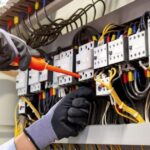
In the rapidly evolving landscape of Nigerian real estate, the “smart home” is no longer a luxury reserved for the elite. As we push for greater energy efficiency and security in 2026, the question for every homeowner and developer isn’t just about whether to automate, but how to connect. At Energymall, we see firsthand how the right infrastructure choice impacts long-term comfort and electricity savings. The debate between wired and wireless systems often comes down to one factor: when are you starting? The Power of Wired Systems: Stability and Longevity A wired home automation system relies on physical cables (often Cat6 or specialized Bus cables) tucked behind your walls. This infrastructure connects every smart switch, sensor, and appliance to a central hub. The Facts: * Unmatched Reliability: Wired systems are immune to the “Wi-Fi dead zones” common in large Nigerian homes with thick concrete walls. * Security: Physical connections are significantly harder to hack than wireless signals, providing a “fortress” level of data privacy. * Energy Consistency: Devices are powered directly by the building’s electrical system. This eliminates the need for battery replacements in hundreds of sensors, reducing long-term electronic waste. The Reality Check: Wired installation is 30% to 100% more expensive upfront due to labor and material costs. It is best suited for new constructions or major renovations. Attempting to wire a finished home often requires “breaking walls,” which most Nigerian homeowners prefer to avoid. The Wireless Revolution: Flexibility and Speed Wireless systems use protocols like Wi-Fi 6, Zigbee, or Z-Wave to communicate. These are “plug-and-play” solutions that have become the standard for retrofitting existing homes in Lagos, Abuja, and beyond. The Facts: * Cost-Effectiveness: Without the need for extensive cabling or professional masonry, wireless systems offer a much lower entry price. * Scalability: You can start with a single smart inverter-compatible battery monitor and add smart lighting or locks as your budget allows. * Ease of Deployment: Installation takes hours or days rather than weeks. The Reality Check: Wireless systems can face interference from other appliances and depend heavily on your router’s uptime. While modern mesh networking has narrowed the gap, a wireless system is only as strong as your internet and power backup. Comparing the Essentials | Feature | Wired Systems | Wireless Systems | | — | — | — | | Ideal Timing| New Build / Renovation | Existing Home | | Upfront Cost | High (Labor intensive) | Lower (Hardware focused) | | Reliability | 99.9% (Signal stability) | Dependent on Network Strength | | Maintenance | Low (No batteries) | High (Periodic battery swaps) | | Flexibility | Fixed Infrastructure | Highly Adaptable | The Energymall Verdict: Go Hybrid For the modern Nigerian building, we recommend a Hybrid Approach. Use a wired backbone for critical, high-bandwidth infrastructure like security cameras and central HVAC controls. Then, layer in wireless flexibility for smart bulbs, voice assistants, and portable sensors. This ensures your home remains functional even if the Wi-Fi fluctuates, while keeping your installation costs manageable. Ultimately, “better” depends on your building’s current stage. Whether you are laying the first brick or upgrading a decade-old apartment, prioritizing energy-efficient automation is the smartest investment you can make this year. To see more of our available services at Energymall, visit here